


HD Video Downloader Quick Save
4.1135.00 Reviews
App Specs
- Version
- 1.3.2
- Updated On
- License
- Free
- Downloads
- 5,000,000+
- Developer
- TechInforTainment
- Categories
- Video Players & Editors
- Platform
- Android, iOS
Screenshots
 Analysis by AppCompare
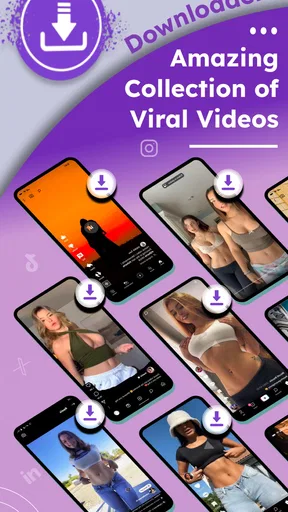
I approach any video-saving app with two separate questions: does it make a useful task easier, and does it give me enough clarity to use it responsibly? HD Video Downloader Quick Save is a free Android app from TechInforTainment in the video-player and editing category. Its focus is saving clips and browsing a collection of viral videos, so it is aimed at people who want a practical way to keep selected videos on their device rather than a full editing suite.
That narrow purpose is useful, but it also calls for a little care. A downloader sits between social platforms and a phone’s storage, and a smooth interface alone cannot answer every question about rights, privacy, or where a file came from. I would treat it as a convenience tool for content I am allowed to save, and check the app’s visible prompts and device settings instead of assuming that every download or permission is automatically appropriate.
What I would check before saving
Before using any downloader, I look at the permission requests it presents and consider whether each one makes sense for the action I am trying to take. I also pay attention to what happens when I paste a link: does the app show the content I expect, and can I back out before starting a transfer? These are simple checks, but they help keep a quick save from becoming an automatic habit.
It is also worth separating the app’s stated purpose from a creator’s terms or a platform’s rules. I would save my own clips, material explicitly offered for download, or videos where I have permission. For anything else, a platform’s built-in save or offline option is usually the more considerate choice. This matters especially when a video includes personal information, private conversations, or someone else’s work.
Who gets the most from it
The app makes the most sense for someone who already knows why they want a local copy: perhaps a short clip to revisit without searching through a feed, or a video they are entitled to keep for a presentation. It is less compelling if all you need is a bookmark. A bookmark preserves the path back to a post, while a downloaded file takes up storage and can become separated from the context in which it was shared.
For occasional use, I would keep a small, deliberate library rather than save every interesting clip. That makes it easier to find a file later and reduces the chance of filling a phone with duplicates. The trade-off is straightforward: local access can be convenient when a connection is unreliable, but it adds a little housekeeping and makes the user responsible for managing the saved copies.
Getting Started with HD Video Downloader Quick Save
Diving into the app was a breeze. After a quick download from the app store, I was ready to roll. The interface is straightforward, just the way I like it—no unnecessary frills or clutter. It’s designed for one thing and one thing only: getting those videos onto your device without a fuss.
Worth Reading Before You Choose

EA SPORTS FC Mobile 26 Is a Bigger Football Game, but It Takes Time

Flipboard Shows What News Apps Must Do Beyond the Feed

Switching to Android Auto Means Rethinking Your Driving Routine

Google Calendar Makes a Crowded Week Easier to Manage

Ludo King Makes the Most of the Minutes Between Plans

Baby Panda World Brings Quick Play to Modern Phones, but Its Game Library Feels Busy
How It Works
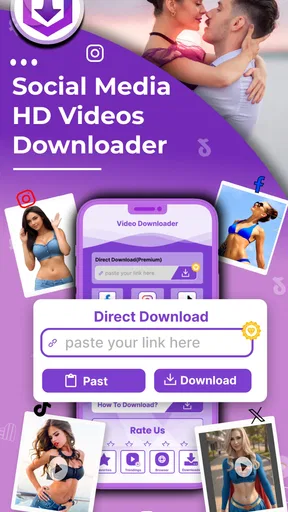
The process is as simple as pie. You find a video you like, copy the link, and paste it into the app. Boom! The video starts downloading in no time. The app supports a wide range of platforms, so whether you're browsing YouTube, Facebook, or some other corner of the internet, HD Video Downloader Quick Save has you covered.
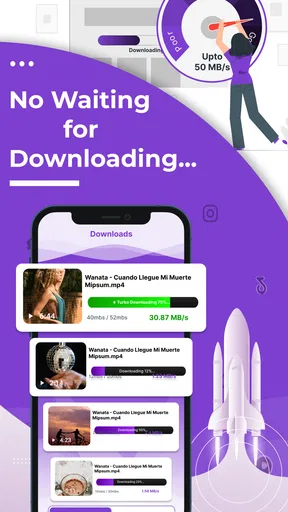
What's more, the download speeds are impressive. I tried downloading both short clips and longer videos, and the app handled them all with ease. No more waiting around, twiddling your thumbs.
Features That Stand Out
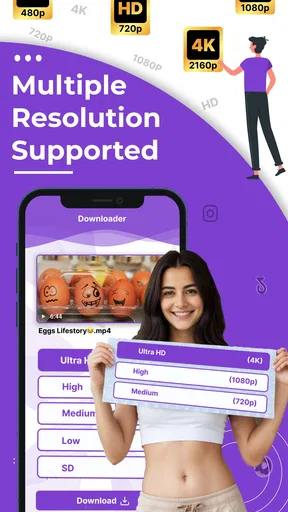
One feature that really caught my eye was the ability to choose the video resolution before downloading. Whether you’re keen on HD quality or looking to save some space with a lower resolution, the app lets you decide. This flexibility is a huge plus in my book.
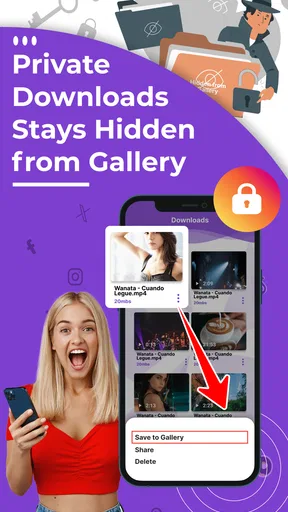
Additionally, there’s an option to organize your downloads within the app. You can create folders, rename files, and generally keep your downloads tidy. It’s like having your own little video library right there on your phone.
A practical routine for keeping downloads manageable
Resolution choice is more than a picture-quality setting; it is a storage decision. When I only need to check a clip’s message or show it briefly to someone, a smaller version may be enough. If I want to keep details visible on a larger screen, higher quality can be worth the extra space. I would decide that before saving, rather than downloading the largest option by default and sorting it out later.
Folders and file names can make a modest collection much easier to use. I would name a file by its subject or intended use, not simply leave a string of generic titles that all look alike. One useful habit is to separate clips I need temporarily from those I expect to keep. That way, a quick review of the temporary folder becomes a natural reminder to remove files that have served their purpose.
There is a small but important distinction between finding a video and keeping it. A file in a downloader’s library may be convenient, but it is not necessarily a permanent archive. If a clip matters, I would confirm that it appears where I expect on the device and consider a separate backup method that I already trust. I would not rely on any single app as the only copy of something important.
Everyday use, without turning it into a habit
Imagine seeing a permitted how-to clip while planning a weekend repair. I might copy its link, choose a resolution that keeps the instructions legible without consuming more space than needed, and save it for a spot in the house where Wi-Fi is weak. After using it, I could rename it with a clear subject and remove it if I no longer need it. That is a practical, limited task: the app helps bridge the gap between finding a useful video and viewing it later, without turning every passing clip into another permanent file.
For a student or presenter, the same approach can help with material they have permission to retain. I would test the exact link and playback on the device before depending on it in a meeting or class. A video that downloads successfully is not automatically guaranteed to play in every situation or to preserve all the context of its original post, so a quick check ahead of time is sensible.
User Experience
The app ran smoothly on my device, with no hiccups or crashes. I appreciated the clean design and how intuitive everything felt. Even if you're not super tech-savvy, you'll feel right at home here. The developers clearly had the user in mind when they created this app.
One thing I noticed is that the app doesn't bombard you with ads, which is a refreshing change from similar apps out there. It’s the little things that make a big difference.
How it sits beside the usual alternatives
Compared with saving a post inside a social app, a downloader is more useful when I need a file on the device rather than a shortcut back to the original feed. The built-in save option is often the better choice for casual browsing because it keeps the clip tied to its source and avoids creating another local copy. For material that is legitimately downloadable, the direct-save workflow described here can be more convenient when I want to organize files by subject.
It is not a substitute for a video editor, despite sitting in the broader video-player and editing category. If I need trimming, captions, or a polished export, I would use an editor designed for those jobs. Likewise, if I only want offline viewing of content offered through an official platform feature, that feature may be simpler and more predictable. Quick Save is most appealing when link-based saving and local organization are the specific needs.
Compatibility is another practical consideration. A link that works in one context may not behave the same way if it leads to restricted, removed, or otherwise unavailable content. If a save does not proceed as expected, I would avoid repeatedly trying alternate routes and instead use the platform’s own options or ask the creator for a downloadable copy. That keeps the process straightforward and respects the source.
Price, version, and fit
The app is free to install, though it includes optional in-app purchases priced from under a dollar to around twenty-six dollars per item. I would start with the free experience and only consider a purchase if a clearly presented feature solves a real need for me. Since optional purchases can add up, it is sensible to check the price shown at the point of purchase and involve the account holder before confirming anything.
It has a Teen content rating, which is a useful prompt for families to consider whether its use fits their household rules. The app is on version 1.2.4 and works on Android 7.0 or later. That makes the minimum system requirement fairly accessible for older Android devices, though I would still check available storage before building a video collection.
Its average rating is 4.2 from around seven and a half thousand ratings, with 122 written reviews, and it has passed five million installs. Those figures suggest a sizeable audience, but they do not replace a personal check of the workflow, purchase prompts, and permissions on your own phone. I would make the decision based on whether the app’s specific saving and organizing routine matches my needs, not popularity alone.
Questions I would settle during a first try
Can I save every video I encounter? I would not assume so. The app’s usefulness depends on the source, link, and the creator’s or platform’s rules. I would use it only for content I am entitled to keep, and switch to an official save option when that is the appropriate route.
Will a saved clip be easy to find later? The folder and renaming options give me a way to make the library more orderly, but the best result depends on using them consistently. I would test one file, locate it again, and establish a simple naming pattern before saving a larger batch.
Is it the right choice for everyone? No. Someone who wants a bookmark, editing tools, or a platform’s official offline feature may be better served elsewhere. Someone who wants a local copy of permitted videos and is willing to manage storage has a clearer reason to try it.
Who should pass, and how I would decide
I would skip this app if I rarely need local video files, if I do not want to manage storage, or if the content I watch is already handled well by built-in platform features. I would also choose another tool if editing is the main goal. A downloader can make a particular step easier, but it does not replace an editor, a cloud backup plan, or a creator’s permission.
For people who do have that narrow need, TechInforTainment’s app offers a direct workflow alongside resolution choices and basic library organization. I find those details more useful than an expansive feature list because they address decisions I actually make: how much quality I need, where a saved clip belongs, and whether I still need it next week. Its strongest case is a small, purposeful collection rather than indiscriminate saving.
Why You Should Consider HD Video Downloader Quick Save
If you’re someone who loves saving videos for offline viewing, this app is a game-changer. It’s efficient, user-friendly, and packed with features that make video downloading a seamless experience. Plus, the ability to choose your video resolution means you can tailor your downloads to suit your needs.
Overall, I’d say HD Video Downloader Quick Save is a must-have tool for any video enthusiast. It’s reliable, fast, and does exactly what it promises. I’ve added it to my list of go-to apps, and I reckon you should too.
So, if you're ready to take control of your video downloads, give this app a whirl. You won't be disappointed!
Pros
- Fast download speeds for large files.
- User-friendly interface with easy navigation.
- Supports multiple video formats.
- No registration required to use.
- Background downloading feature available.
Cons
- Ads can be intrusive and disruptive.
- Limited support for some video platforms.
- No built-in video player for previews.
- Requires permissions for storage access.
- Not available on iOS devices.
FAQs for HD Video Downloader Quick Save
What is HD Video Downloader Quick Save and how does it work?
HD Video Downloader Quick Save is an application designed to help users download videos from various platforms directly to their devices. By simply copying and pasting the video URL into the app, users can swiftly download high-definition videos and save them for offline viewing. The app supports multiple formats and resolutions to suit different needs.
Is HD Video Downloader Quick Save free to use?
Yes, HD Video Downloader Quick Save offers a free version that includes basic features for downloading videos. However, there may be in-app purchases or a premium version that provides additional features, such as faster download speeds, ad-free experience, and the ability to download multiple videos simultaneously.
Which devices are compatible with HD Video Downloader Quick Save?
HD Video Downloader Quick Save is available for both Android and iOS devices. It is important to check the specific system requirements on the app store for your device to ensure compatibility. The app is regularly updated to support the latest operating system versions and enhance user experience.
Are there any legal concerns with using HD Video Downloader Quick Save?
While HD Video Downloader Quick Save is a useful tool, users should be aware of potential legal issues. Downloading copyrighted material without permission can violate terms of service for some platforms. Always ensure that you have the rights to download or use the content before proceeding to avoid any legal complications.
How secure is HD Video Downloader Quick Save?
HD Video Downloader Quick Save takes user privacy and security seriously. The app does not collect personal data or share information with third parties. However, it is recommended to download the app from official app stores to avoid any security risks associated with unofficial or modified versions of the application.


